
Deploy a repository
Use the default Docker workflow or supply a command for your own runtime. Jakeloud gives each release its own directory and port.
Jakeloud is a self-hosted deployment tool with a web dashboard. It clones your Git repository, runs your build and start command, and routes web traffic through Nginx with HTTPS certificates managed by Certbot.
The new jakeloud/jl gives you custom commands, numbered releases, and control over when traffic moves to a new version—all on your own server. Explore what the new Jakeloud offers.
On a fresh Debian-based server with systemd and a public IPv4 address, allow ports 80 and 443, then run these commands from a download directory:
sudo apt-get update &&sudo apt-get install -y docker.io curl &&sudo systemctl enable --now docker &&curl -fL https://github.com/jakeloud/jl/releases/download/v2.0.0/jl -o jl &&chmod +x jl &&sudo ./jlOpen the HTTPS address printed by the installer and register your account. See the installation guide for prerequisites and maintenance guide for updates to an existing server.
Run this on the computer where your agent runs. The installer lets you choose your agent:
npx skills add jakeloud/skillFor a global installation in both Codex and OpenCode:
npx skills add jakeloud/skill -g -a codex -a opencodeRestart your agent, then configure the instance URL and credentials in your terminal. See agent setup for the configuration command for your agent.
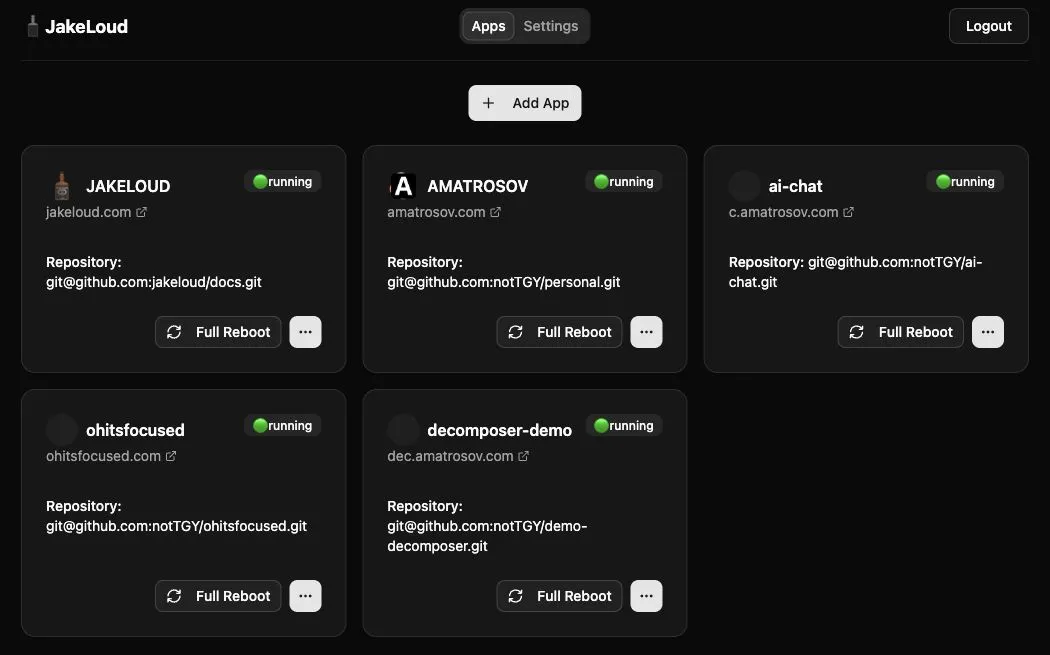
Dashboard captured from a running Jakeloud instance. This deployed version labels the list Apps and the create button Add App; current source uses Add Project. The guides describe the current source’s command and release controls.
Deploy a repository
Use the default Docker workflow or supply a command for your own runtime. Jakeloud gives each release its own directory and port.
Control when traffic switches
Inspect release logs, confirm that a web app is ready, and switch its domain to the new release. A configurable timeout can switch it automatically.
Run web apps and workers
Enable a domain for a public website or leave it off for a background process. Keep your application running in the foreground so Jakeloud can track it.
Understand every release
See the assigned port, process ID, candidate or active role, and per-release logs. Optional Telegram notifications report deployment starts and failures.
Keep serving during startup
Prepare a web release while the previous process serves traffic. Jakeloud attempts to restore the previous proxy target if a switch fails during proxy or certificate setup.
Work with your coding agent
Install the Jakeloud skill to list projects, read status and logs, and request a full reboot from your agent.
Start with installation, deploy your first project, or set up an agent.