
Install Jakeloud
Jakeloud runs as a systemd service on a Debian-based Linux server. The installer sets up Nginx, Certbot, Git, and an SSH client.
Prepare your server
Use a server with systemd, root access, and a public IPv4 address. Upstream recommends Debian 11. Allow inbound ports 80 and 443 and reserve them for Jakeloud’s Nginx configuration.
The published jl binary is for Linux x86-64. For another architecture, build from source.
Install Docker for the default commands, or the runtime and build tools your custom commands require. The Jakeloud installer does not install them. For Docker on Debian:
sudo apt-get updatesudo apt-get install -y docker.io curlsudo systemctl enable --now dockersudo docker infoInstall the release binary
Download v2.1.2 from the upstream releases:
curl -fL https://github.com/jakeloud/jl/releases/download/v2.1.2/jl -o jlchmod +x jlsudo ./jlRun from a download directory outside /usr/local/bin. The installer copies the executable to /usr/local/bin/jl, creates /app, and enables and starts jakeloud.service.
Open the dashboard
Open:
https://jakeloud.<your-public-ip>.sslip.ioJakeloud creates the proxy and requests a certificate for that hostname. If it is unavailable, check DNS, inbound ports, and the service journal.
Register your email and password. The first account owns the dashboard. Later visits use the login form.
Set dashboard domains
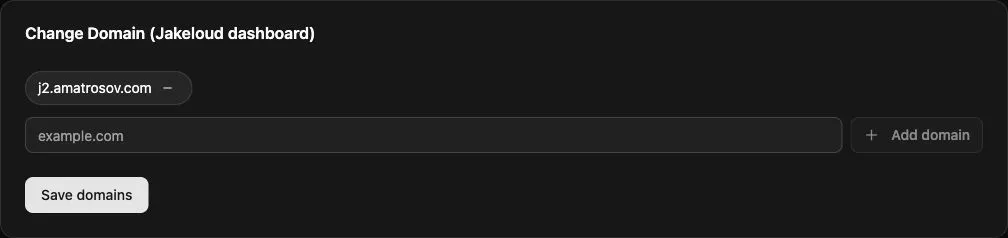
Point your hostnames at the server. In Settings → Change Domain (Jakeloud dashboard), enter each hostname and select Add domain, then Save domains. Use hostnames without schemes, paths, or ports. The browser redirects to the first hostname in the list.
Continue to connect your Git repository.